
Ai Content Generator
Ai Picture
Tell Your Story

 Amelia Margaret
Everything You Must Know About Dell Laptop Screen Repair Before You Replace It!
How to Fix Common Dell Laptop Screen Issues in 2025: A Practical Guide for Everyday Users
Today, one of the leading laptops available all around Las Vegas is the Dell model. From work to gaming, there are so many models available with different specifications. These laptops are best known for their reliability. Still, no matter how reliable the gadget is. It has some space for problems to arise.
Do you have a Dell laptop? Have you ever searched for common Dell screen problems and solutions for instant fixes? This guide is your best resource to know, diagnose, and fix all your Dell screen problems in 2025.
It’s time to step into modern repair methods with quick tips to prevent problems from arising in your future! Let’s have a look at how to fix Dell screen problems fast.
Time to Know the Latest Dell Laptop Screens in 2025
Known for their reliability, these Dell laptop models are very efficient. Yet complex. With every day, something new is introduced in these gadgets. So, if you want to diagnose and fix your screen issues on time, it’s better to know what kind of custom-built gaming screens are available on the market. What is the overall impact of the repair and usability?
From anti-glare panels to LED displays and touchscreen features, Dell has made huge progress. Simply, if you want to know the cost of the latest Dell model, you must Google it immediately.
Types of Dell Screens in 2025
- OLED displays are high resolution, vibrant colors, and great for gaming or graphic design. However, these are costly to repair.
- Anti-glare panels are ideal for outdoor or bright environments, offering better visibility and protection against scratches.
- Touchscreen displays are found in premium models like the XPS 2-in-1 series, which are prone to touch sensitivity issues over time.
Diagnosing Dell Laptop Screen Problems in 2025
When you know what kind of screen is installed inside your model, it becomes easy to diagnose and filter out the best Dell screen repair shop in Las Vegas for replacement service.
Common Problems and Symptoms
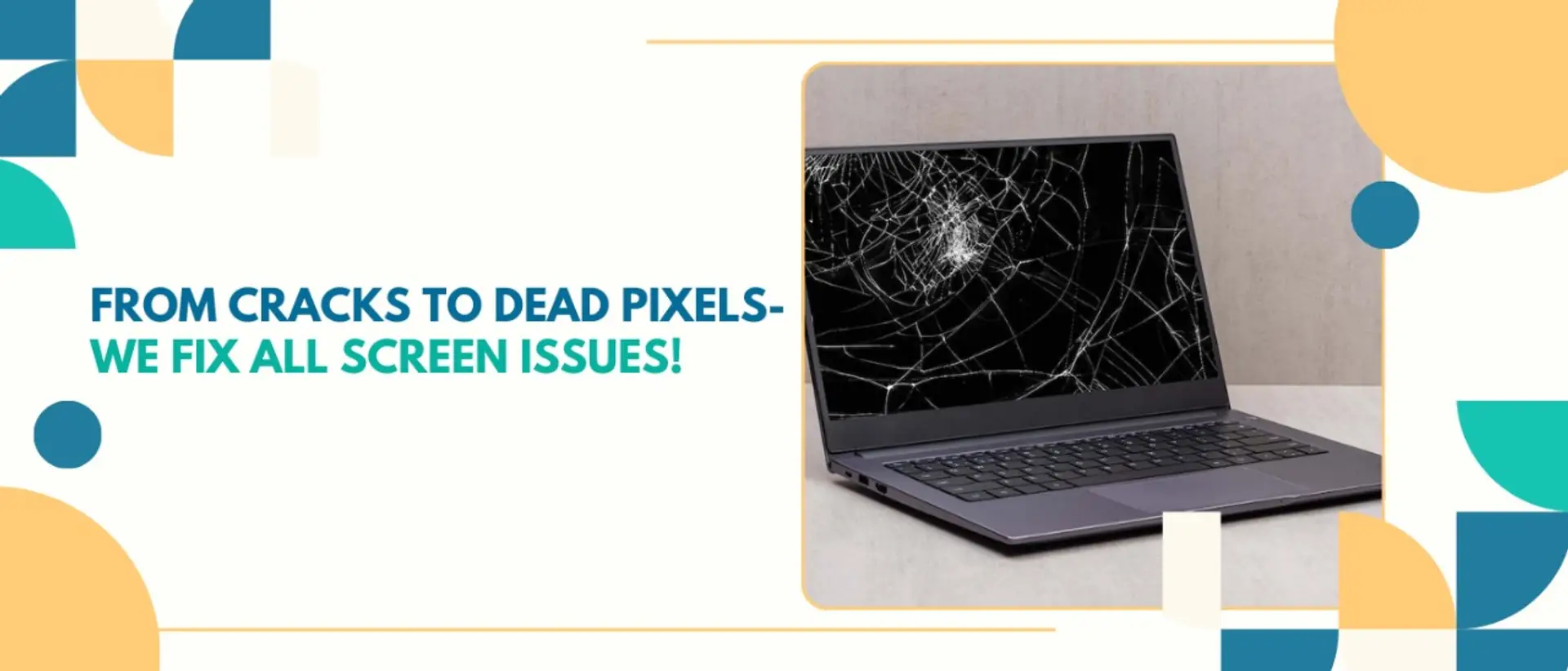
- Cracks or scratches from accidental drops.
- Visible damage is usually repairable but may require professional assistance.
- Often caused by loose cables, outdated drivers, or a failing graphics card.
- Flickering can sometimes be resolved with simple software updates.
- It may indicate backlight, inverter failure, or power supply issues.
- Dim screens often need hardware fixes or part replacements.
- Small, unresponsive dots on the screen.
- Tools like "PixelHealer" can sometimes fix this.
How to Diagnose Vegas Dell Screen Problems?
- Step 1: Inspect how much the gadget is physically damaged. Check for cracks or discoloration.
- Step 2: Test all the connections. Connect your laptop to an external monitor. If the external display works, the issue lies with your laptop screen.
- Step 3: Use the diagnostic tools. Use Dell’s built-in diagnostic tools. You can also switch to third-party apps to identify software or hardware faults.
Why Is Repairing Your Dell Laptop Screen a Better Option?
Repairing a laptop screen is often the most practical solution for most users. It’s not only cost-efficient. But also a quicker and more eco-friendly alternative to replacement. Let’s explore why laptop and gaming PC repair near me should be your first choice.
Cost-Effective
Repairing screens is often more affordable than a full replacement. In Las Vegas, Dell laptop screen replacement services are priced between $150 and $400, depending on your laptop’s model.
Eco - Friendly
Opting for repair reduces e-waste, contributing to a sustainable future. By choosing repair over replacement, you’re conserving valuable resources.
Faster Turnaround
Repairs are typically quicker than waiting for replacement parts. Most repair shops in Las Vegas offer same-day service for minor issues.
Top Solutions for Fixing Dell Laptop Screen Problems
Fixing a Dell laptop screen in Las Vegas involves a mix of DIY efforts and professional assistance. Each solution is related to specific issues. The most efficient and cost-effective resolution. Here are some tried-and-tested methods.
1. DIY Troubleshooting for Minor Issues
For users confident with basic repairs, DIY can save time and money. Follow these steps for common problems:
How to Fix Screen Flickering?
- Update Drivers: Use Dell’s support site to download the latest display drivers.
- Adjust Display Settings: Go to "Display Settings" and lower the refresh rate.
- Check Hardware Connections: Open the back panel and inspect the display cable.
How to Address Dead Pixels?
- Use Pixel Fixing Tools: Tools like "PixelHealer" can reactivate stuck pixels.
- Apply Pressure: Gently rub the area with a microfiber cloth.
How to Fix a Dim Display?
- Adjust Power Settings: Ensure "Brightness" is set to maximum.
- Reset BIOS: Sometimes, resetting BIOS can fix display power issues.
2. Professional Repair Services
For physical damage or complex issues, seek help from certified technicians. Services in Las Vegas include:
- TechFix Nevada: Specializes in Dell laptop repairs.
- Vegas Laptop Repair: Known for quick turnarounds.
- Screensavers Electronics: Offers affordable pricing for LCD and LED screen repairs.
Professional repairs ensure that warranty conditions are not voided and high-quality parts are used.
3. Screen Replacement
If the damage is extensive. Replacing the screen might be the best option. Here’s how to proceed:
Steps to Replace Your Dell Laptop Screen
- Match the model and specifications from the nearest trusted Dell screen suppliers.
- You now need a screwdriver, spudger, and anti-static wristband.
- Remove the bezel and screws holding the screen.
- Detach cables carefully to avoid damage.
- Connect the new screen and secure it.
- Power on the laptop to check functionality before reassembly.
If you’re unsure, hire a professional to avoid damaging sensitive components.
Quick, Instant Maintenance for Dell Laptop Screens
Preventing screen issues is easier and cheaper than dealing with repairs. With maintenance, you can extend the life of your Dell model laptop screen significantly. Follow these tips now:
Tips to Avoid Future Issues
- Use a Dell screen protector, as it protects against scratches and minor damage.
- Use a microfiber cloth to regularly clean the screen weekly.
- Close the laptop lid gently and avoid applying pressure.
- Regular updates prevent compatibility issues.
- Proper ventilation prolongs the life of your device.
Preventive maintenance brings longevity and cuts down costly repairs.
When to Replace Instead of Repair
Replace your Dell model old screen if:
- The damage is beyond repair, such as a shattered display.
- Repair costs exceed replacement prices.
- You’re experiencing recurring issues that hinder productivity.
- Upgrade to better screens for better visuals.
Frequently Asked Questions (FAQs)
1. Can I fix my latest Dell laptop screen myself?
Yes, minor issues like loose cables or driver updates can be fixed at home. However, physical damage often requires professional help.
2. How long does a screen repair take?
Most repairs take 1-2 hours, but complex issues or parts shortages may extend this timeline.
3. Are replacement screens as good as the original?
Certified replacement screens meet Dell’s quality standards, ensuring performance similar to the original.
Related Posts
© 2025 Invastor. All Rights Reserved
User Comments