
Ai Content Generator
Ai Picture
Tell Your Story

 InVastor Academy Professionals
Module 3: AI in Content Creation for Education Lesson 3.2: Creating Interactive Materials (Slides, Videos, Games)
Module 3: AI in Content Creation for Education
Lesson 3.2: Creating Interactive Materials (Slides, Videos, Games)
Learning Objectives
By the end of this lesson, educators will be able to:
- Identify AI tools for interactive content creation (slides, videos, quizzes, games).
- Create engaging multimedia lessons using AI-powered platforms.
- Adapt AI-generated materials to suit different learning styles and classroom settings.
- Evaluate interactive materials for clarity, accuracy, accessibility, and engagement.
- Integrate AI-created content into both in-person and online instruction.
1. Why Interactive Materials Matter
Interactive learning materials increase:
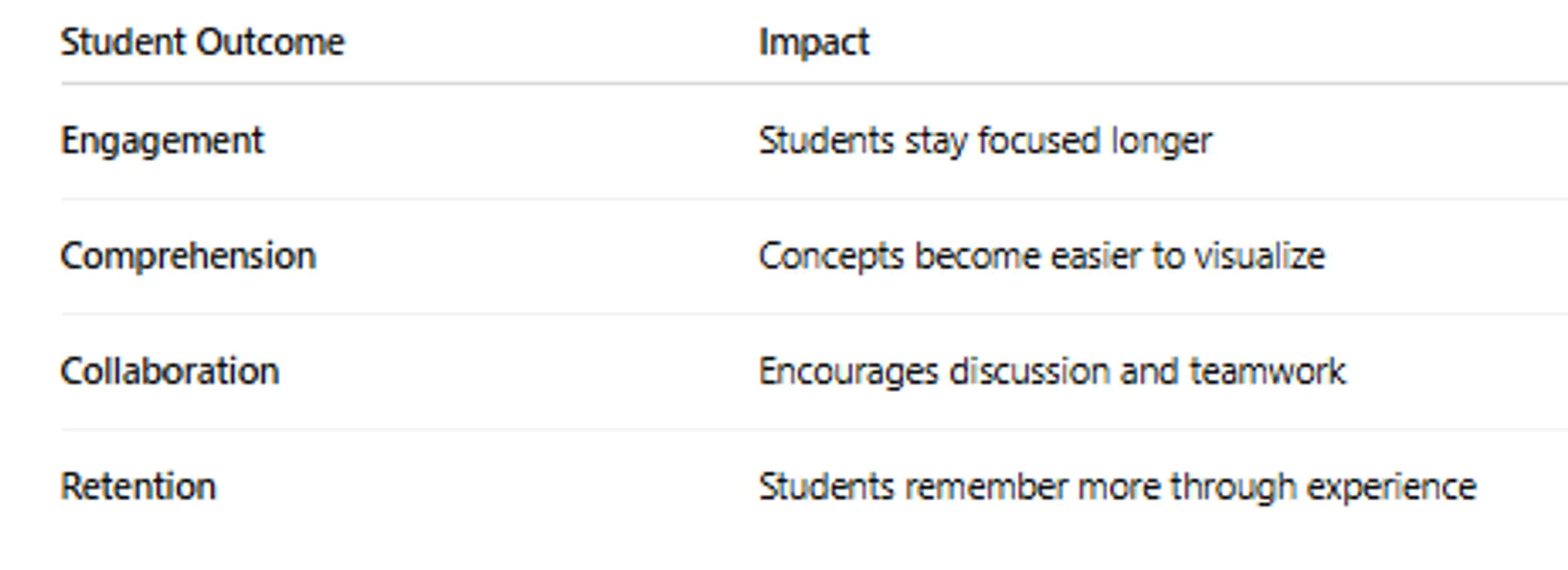
Interactive formats support multiple learning styles:
- Visual → Slides & videos
- Kinesthetic → Games & simulations
- Auditory → Narrated and voice-over content
AI helps teachers build these quickly — without needing graphic design or video editing skills.
2. AI Tools for Creating Interactive Slides
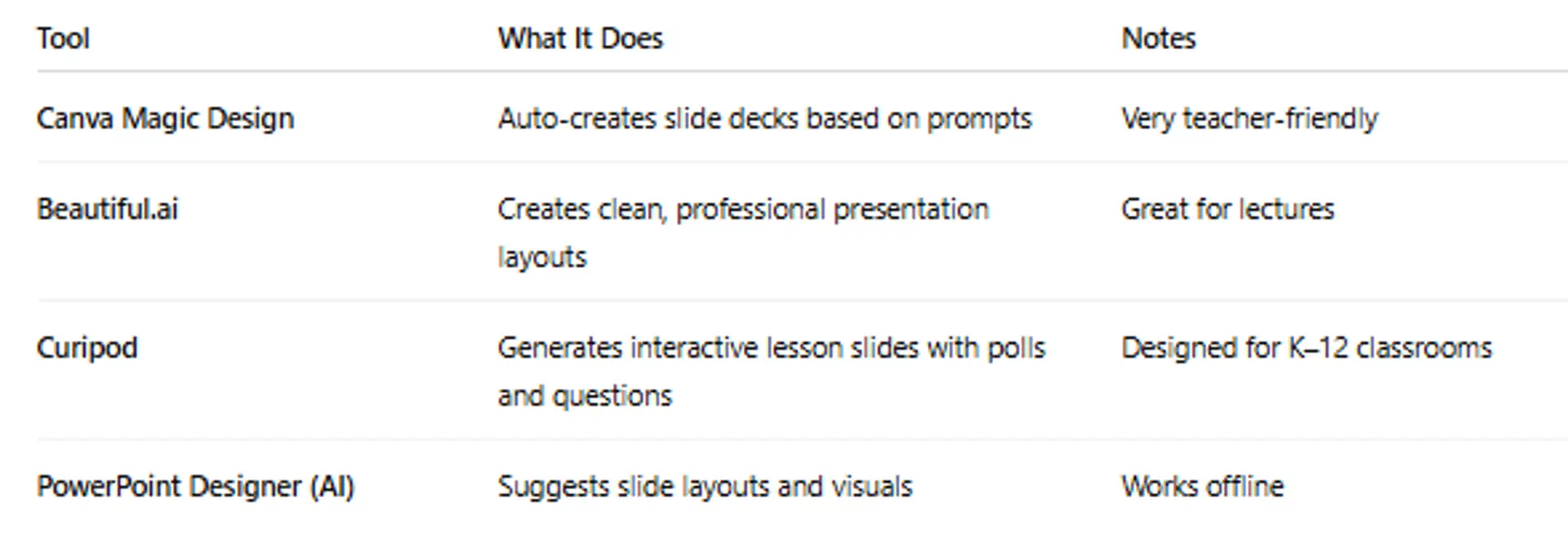
Slide Deck Prompt Example:
Create a visually engaging slide presentation for Grade 7 Science on the Water Cycle.
Include diagrams, discussion questions, and a summary slide.
Educator reviews, edits, and adds school-required terminology.
3. Using AI to Create Educational Videos
AI enables teachers to create explainers, animations, and narration without recording equipment.
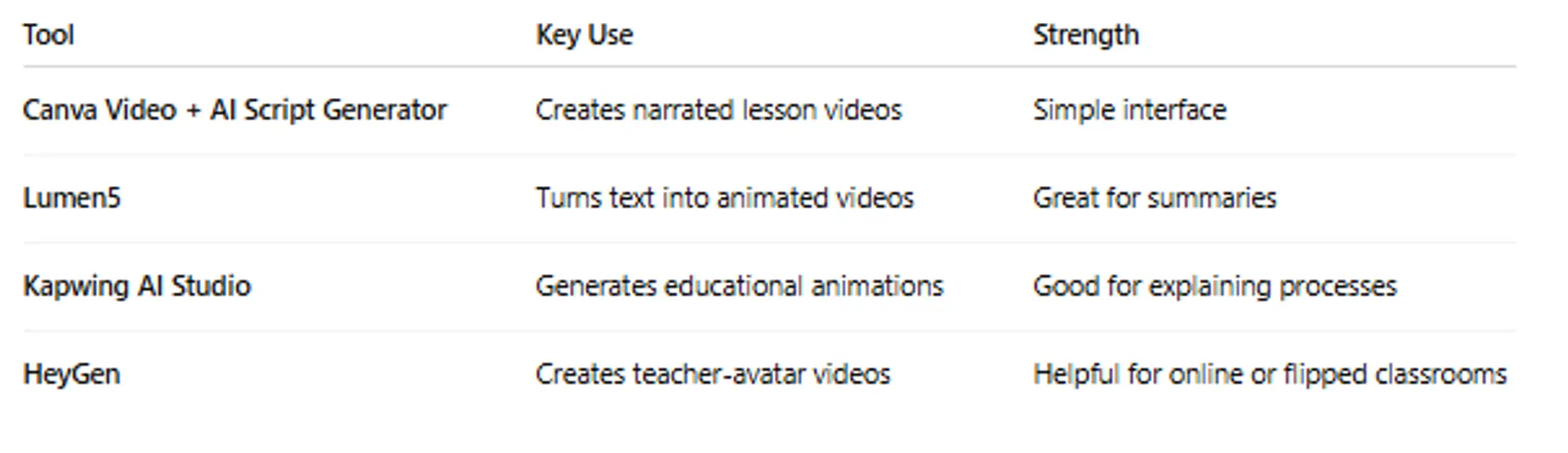
Video Prompt Example:
Generate a 2-minute explainer video summarizing the causes and effects of photosynthesis for beginners.
Teacher adds pacing, tone, and clarifications as needed.
4.Creating AI-Assisted Educational Games
Games encourage active learning and self-paced practice.
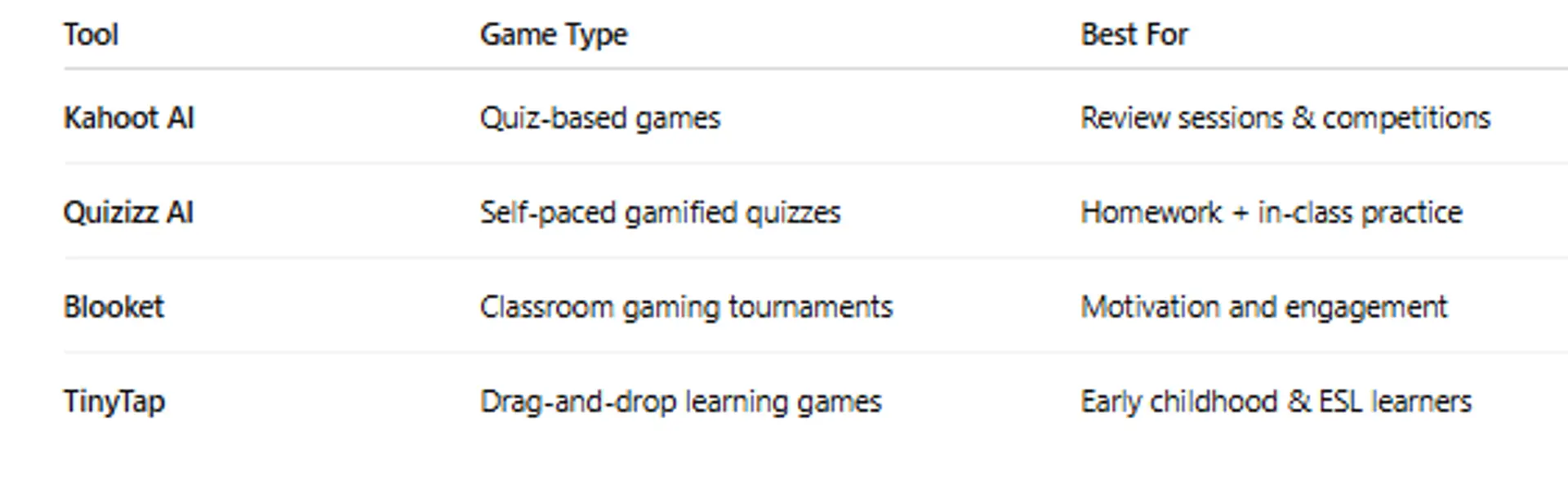
Game Creation Prompt Example:
Create a 15-question Quizizz game on multiplying fractions. Vary difficulty and include real-world examples.
AI generates — teacher checks formatting and difficulty.
5. Best Practices for Interactive Materials
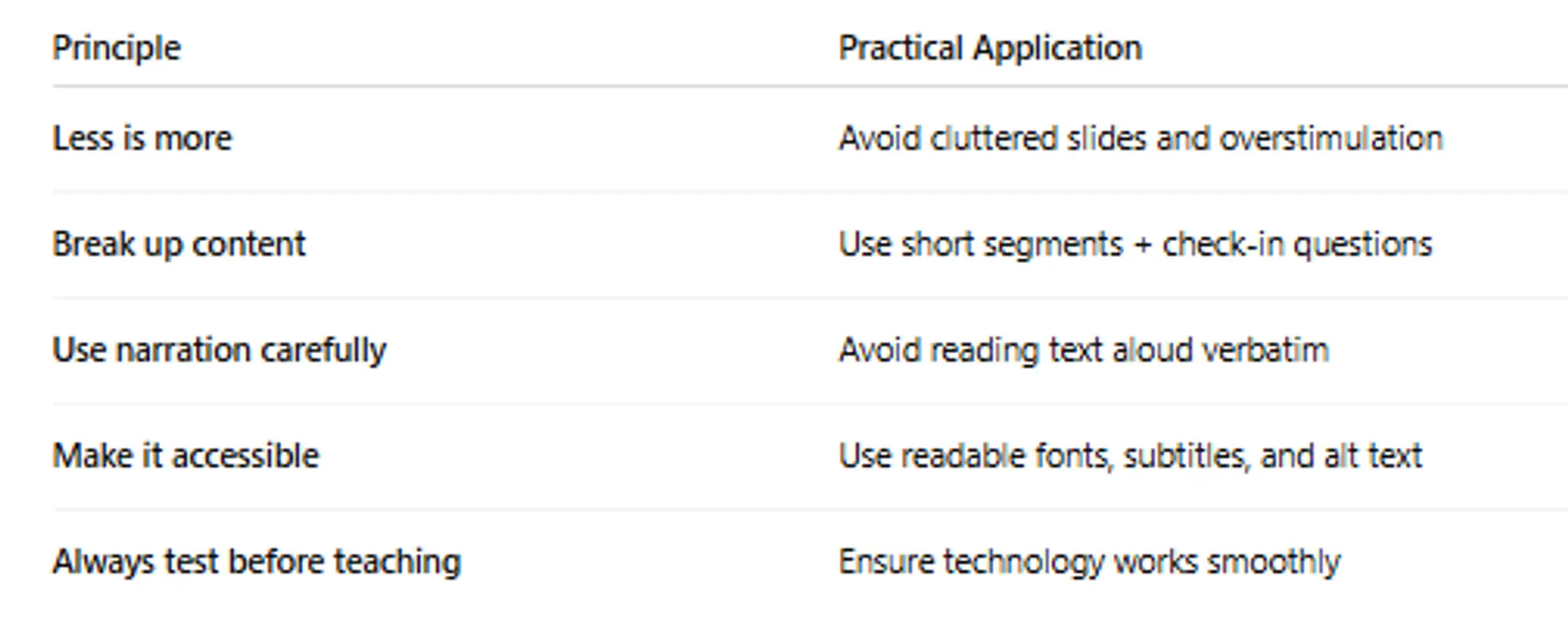
Key Rule:
AI enhances engagement — but teacher guidance shapes meaning.
6. Supplementary Resources
- Create Interactive Learning Games with WordWall
- Materials And Their Properties
- How to Create an AI-Generated Interactive Quiz [with Edcafe AI]
Lesson 3.2 Quiz — Creating Interactive Materials (10 Multiple Choice Questions)
You must score at least 70% to pass.
This quiz counts toward your certification progress.
Click here for Quiz 3.2:
Conclusion
AI empowers educators to design visually appealing and engaging lessons without requiring advanced design skills. By using tools like Canva, Curipod, Quizizz, and Kahoot, teachers can create slides, videos, and educational games that support different learning styles and increase participation. However, educators must always review AI-generated materials to ensure accuracy, inclusivity, and alignment with learning goals.
Interactive content is powerful — but your teaching expertise is what makes it meaningful.
Next and Previous Lesson
Next: 3.3: Using Canva Magic Write, Notion AI, and ChatGPT in Teaching
Previous:Lesson 3.1: Generating Lesson Plans, Quizzes, and Exams with AI
AI for Educators: Personalized Learning & Content Creation
Related Posts
© 2026 Invastor. All Rights Reserved
User Comments