
Ai Content Generator
Ai Picture
Tell Your Story

 emma brown
Dyson V7 Battery: Everything You Need to Know About
Lifespan, Replacement, and Care
The Dyson V7 cordless vacuum sits between the earlier V6 and the more powerful V8. It’s a favourite among homeowners because it offers strong suction, a lightweight design, and up to 30 minutes of runtime. But like every cordless vacuum, the Dyson V7 relies heavily on its battery. A weak or failing battery can turn an otherwise great vacuum into a frustrating device.
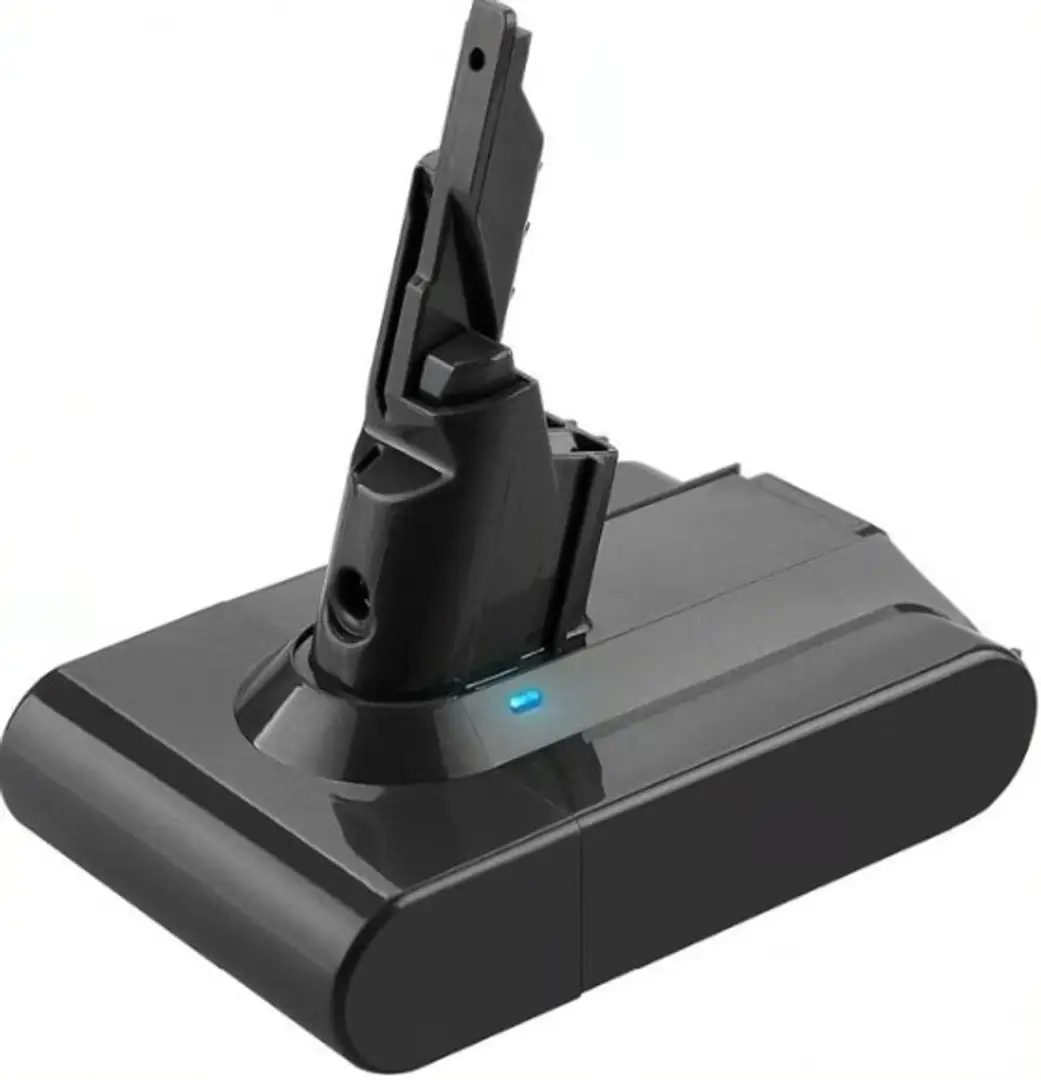
This guide covers everything you need to know about the Dyson V7 battery—its type, performance, how long it lasts, signs of failure, replacement options, and care tips to help you get the most out of it.
What Type of Battery Does the Dyson V7 Use?
The Dyson V7 runs on a Lithium-ion (Li-ion) battery pack, which is the same technology used in smartphones and laptops. Dyson chose Li-ion because it provides several advantages over older batteries, such as NiMH or NiCd:
Lightweight: Keeps the vacuum portable.
No memory effect: Can be recharged anytime without needing full discharge.
Fast charging: Full charge in around 3.5 hours.
Steady power output: Maintains suction until the battery is nearly empty.
The Dyson V7 battery is 21.6 volts with a typical capacity of 2,100mAh to 3,000mAh, depending on whether you use a genuine or aftermarket version.
How Long Does a Dyson V7 Battery Last?
The lifespan of a Dyson V7 battery can be measured in runtime per charge and total life in years.
Runtime per charge:
Standard mode: ~30 minutes
With motorised tool: ~20 minutes
Max mode: 6–7 minutes
Total lifespan in years:
On average, the Dyson V7 battery lasts 2–4 years with regular use. Lithium-ion batteries typically survive 300–500 charge cycles before capacity drops significantly.
If you use the vacuum daily, you may need to replace the battery after 2 years. If used lightly, it can last longer.
Signs Your Dyson V7 Battery Needs Replacing
All batteries wear down eventually. Common signs your Dyson V7 battery is failing include:
Shortened runtime – vacuum only lasts a few minutes.
Vacuum stops mid-use – shuts down suddenly even when not fully discharged.
Battery not charging – charger light doesn’t come on, or battery doesn’t hold charge.
Flashing red lights – typically signals a battery error.
When these issues appear, replacing the battery is usually the best solution.
How to Replace a Dyson V7 Battery
The good news is that Dyson designed the V7 battery to be user-replaceable. You’ll only need a Phillips screwdriver.
Here’s how:
Turn off and unplug the vacuum.
Remove the dust bin by pressing the red release latch.
Locate the screws – one near the handle and one at the base.
Unscrew and remove the old battery.
Insert the new battery and secure it with the screws.
Reattach the bin and fully charge before use.
This process takes less than 10 minutes.
Genuine vs. Aftermarket Dyson V7 Batteries
When it’s time to buy a replacement, you’ll find two types of batteries:
Genuine Dyson battery
Designed for the V7.
Costs around $70–$100.
Includes safety features like overheating protection.
Reliable performance but pricier.
Aftermarket battery
Available for $30–$50.
Often offers higher capacity (3,000–5,000mAh) for longer runtime.
Quality varies—some work just as well, while others may wear out faster.
Look for reputable brands with good reviews.
For safety and warranty reasons, Dyson recommends genuine replacements. However, many users choose aftermarket batteries for cost savings and longer run times.
Tips to Extend the Life of a Dyson V7 Battery
If you want your V7 battery to last as long as possible, follow these care practices:
Charge after use – don’t leave it fully drained.
Store in a cool, dry place – avoid heat and direct sunlight.
Don’t overuse max mode – it drains the battery quickly.
Use genuine chargers – avoid third-party chargers that may damage the battery.
Clean filters regularly – clogged filters force the motor to work harder, reducing battery efficiency.
By treating the battery properly, you may extend its life by several months or even years.
Troubleshooting Dyson V7 Battery Problems
Before you rush to replace the battery, check for other possible causes:
Vacuum won’t turn on: Could be a blocked filter or dirty connections.
Red flashing light: Often a clear sign the battery is failing.
Vacuum shuts off quickly: Check if the filter is clean and attachments are clear of blockages.
Battery not charging: Test another outlet or charger before assuming the battery is dead.
If none of these steps fix the problem, it’s time to replace the battery.
Dyson V7 Battery Compatibility
A common question is whether Dyson batteries are interchangeable across models. The answer is: not really.
V6 and V7 batteries: Different shape and connection points—not compatible.
V7 and V8 batteries: Also not interchangeable due to design differences.
V10/V11 batteries: Larger, completely different design.
Always purchase a battery labeled specifically for the Dyson V7. Even aftermarket versions should clearly state “compatible with Dyson V7.”
Cost of Replacing a Dyson V7 Battery
The cost depends on whether you choose genuine or aftermarket:
Genuine Dyson V7 battery: $70–$100
Aftermarket replacement: $30–$50
Professional replacement service: May cost an additional $20–$40
Most people opt for DIY replacement since it’s simple and saves money.
Dyson V7 Battery vs. Dyson V6 and V8
If you’re considering whether to replace your V7 battery or upgrade to a newer model, here’s a quick comparison:
Dyson V6 battery: Shorter runtime (20 minutes), older design.
Dyson V7 battery: Better runtime (30 minutes), lighter than V8.
Dyson V8 battery: Longer runtime (40 minutes), but heavier.
If your V7 is otherwise working well, a simple battery replacement is much cheaper than upgrading. But if you want longer runtime and more suction, you might consider a Dyson V8 or even V10.
The Finale
The Dyson V7 battery is the core of this cordless vacuum’s performance. While it naturally wears out over time, replacing it is a straightforward process that can give your vacuum years of new life. By choosing the right replacement—whether genuine or aftermarket—and practising good care habits, you can extend your Dyson’s runtime and avoid frequent replacements.
If your V7 suddenly stops holding a charge or only lasts a few minutes, don’t worry—it’s usually just the battery. With a quick replacement and a little maintenance, your Dyson V7 can continue delivering powerful cleaning for years to come.
Related Posts
© 2025 Invastor. All Rights Reserved
User Comments