
Ai Content Generator
Ai Picture
Tell Your Story

 Ethan dante
The Ultimate Guide to Keyword Mapping for SEO Success
If you’re working on SEO, you’ve probably heard about keyword research. But have you ever heard of keyword mapping?
Keyword mapping is a powerful strategy that helps you organize your keywords and match them to the right pages on your website. It gives you a clear direction for content creation and SEO optimization.
In this ultimate guide, we’ll explain everything about keyword mapping in simple words. Whether you are a beginner or an experienced digital marketer, this blog will help you understand how to map keywords the right way — and how it leads to SEO success.
What Is Keyword Mapping?
Definition and Purpose
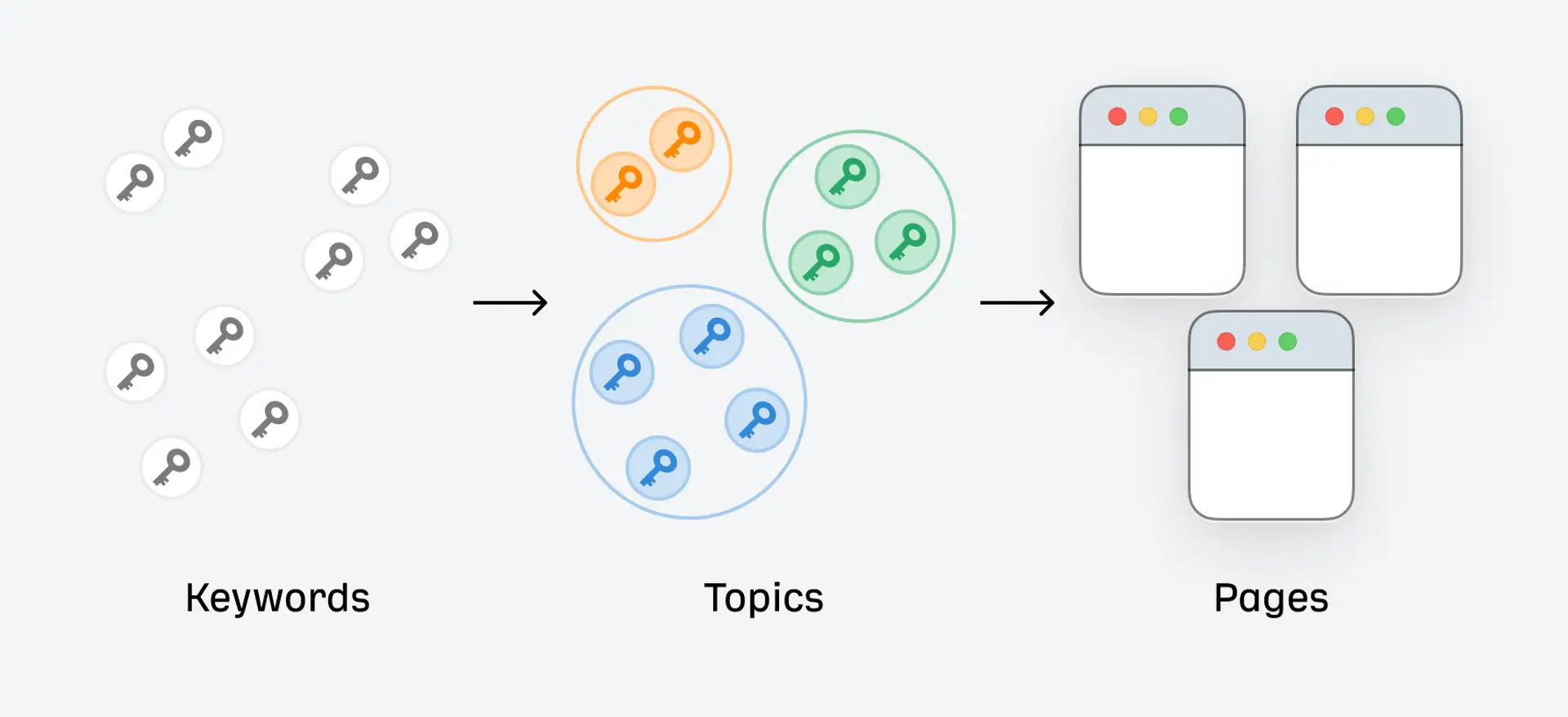
Keyword mapping is the process of assigning the right keywords to the right pages on your website. It’s like making a keyword-based sitemap that shows which topics belong to which URLs.
The main goal is to make sure:
- Each page targets specific keywords.
- No two pages fight for the same keyword.
- The user finds the most relevant content for their search.
Keyword Mapping vs Keyword Research
Keyword research is about finding out what people are searching for. You look for keywords that are:
- Popular
- Relevant
- Easy (or possible) to rank for
But keyword mapping is the next step. It organizes these keywords by:
- Grouping similar ones
- Assigning them to pages
- Building a logical structure
Both are important — but mapping helps you turn research into action.
Why Keyword Mapping Matters for SEO
Helps Search Engines Understand Your Site Structure
Search engines love organized websites. When each page has a clear keyword focus, it’s easier for Google to understand what your website is about. This can lead to better rankings.
Keyword mapping improves:
- Crawlability
- Indexing
- Page relevance
Prevents Keyword Cannibalization
Keyword cannibalization happens when multiple pages on your site target the same keyword. Instead of helping you rank better, it confuses search engines and splits your SEO value.
Keyword mapping ensures:
- Only one page targets a specific keyword
- Each page has its own unique focus
Improves On-Page SEO and Content Relevance
Mapping helps you create content that matches the user’s search intent. Instead of stuffing multiple keywords into one page, you build focused, high-quality content for each topic.
This leads to:
- Better rankings
- Higher click-through rates
- More conversions
Enables Better Internal Linking
With a keyword map, you can plan smarter internal linking. You can link related topics together, guiding users and search engines through your content journey.
Step-by-Step Process to Keyword Mapping
Now that you know why it matters, let’s look at how to do keyword mapping the right way.
Step 1 – Conduct Thorough Keyword Research
Use tools like:
- Google Keyword Planner
- Ahrefs
- SEMrush
- Ubersuggest
- AnswerThePublic
Find:
- Primary keywords (main target term)
- Secondary keywords (closely related terms)
- Long-tail keywords (specific phrases with lower search volume)
Gather all this data in a spreadsheet.
Step 2 – Categorize Keywords by Intent
Not all keywords are the same. Classify them based on user intent:
- Informational – “how to fix a flat tire”
- Navigational – “Facebook login”
- Transactional – “buy iPhone 15 online”
- Commercial – “best running shoes for men”
Understanding intent helps you design the right type of content for each keyword.
Step 3 – Group Related Keywords Together
Next, create keyword clusters — groups of keywords that mean the same or similar things.
For example:
- “SEO tips for beginners”
- “basic SEO guide”
- “learn SEO step by step”
These can all be targeted in one blog post. Grouping helps you:
- Avoid content overlap
- Build topic authority
- Plan content around themes
Step 4 – Map Keywords to Existing or New Pages
Assign keyword groups to specific URLs. If a page already exists, match it to the best keyword group. If not, plan to create a new page.
Ask yourself:
- Does this keyword fit the page’s topic?
- Is the user intent aligned?
- Do I need a new blog, product page, or landing page?
Use this to guide your content creation and on-page optimization.
Step 5 – Visualize Your Keyword Map
Now create a keyword map using Google Sheets, Excel, or Trello.
Include:
- URL
- Target keyword
- Keyword type (primary, secondary)
- Search intent
- Volume
- Content status (existing, needs update, new)
This becomes your SEO blueprint.
Tips for Effective Keyword Mapping
Focus on Search Intent, Not Just Volume
High search volume doesn’t always mean high value. A low-volume keyword with strong buying intent may be more profitable.
Always ask:
- What does the user want when searching this?
- Can I provide the best answer?
Use Semantic and LSI Keywords
Latent Semantic Indexing (LSI) keywords are terms that are contextually related to your main keyword.
For example:
- Main keyword: “digital marketing”
- LSI terms: “SEO,” “email marketing,” “PPC,” “analytics”
Using them improves content depth and relevance.
Keep Your Map Updated
SEO is not a one-time job. Your keyword map should evolve with:
- New content
- Ranking changes
- SEO updates
Review and refresh it every 3–6 months.
Use URL Naming Best Practices
When assigning keywords to pages, follow clean URL practices:
- Keep it short and clear
- Use hyphens (-) not underscores (_)
- Include keywords only if it helps users and SEO
Keyword Mapping for Different Site Types
Keyword mapping is useful for every kind of website, but the strategy differs slightly.
For Blogs
- Map each blog post to a keyword cluster
- Use pillar + cluster model for topic authority
- Link related posts internally
For E-commerce Sites
- Product pages: map transactional keywords
- Category pages: map commercial-intent keywords
- Use filters carefully (size, color) to avoid duplicate content
For Service-Based Sites
- Create service pages for each core offering
- Use local SEO keywords (e.g., “Plumber in Mumbai”)
- Add FAQs and blog posts for informational keywords
Tools That Make Keyword Mapping Easier
You don’t need to do it all manually. Use these tools to speed up the process:
SEO Tools
- Ahrefs – keyword research, clustering, content gap analysis
- SEMrush – keyword tracking and mapping templates
- Ubersuggest – beginner-friendly keyword suggestions
- Google Search Console – find current keyword performance
Visualization & Spreadsheet Tools
- Google Sheets / Excel – build your keyword map
- Lucidchart / Miro – visualize keyword clusters
- Trello / Notion – track your content and keyword plan
Content Management Systems
- WordPress – with plugins like RankMath or Yoast, assign keywords easily
- Webflow – manage content with keyword-focused structure
Common Keyword Mapping Mistakes to Avoid
Avoid these common traps that weaken your SEO:
Targeting Too Many Keywords per Page
- Stick to 1 primary keyword + 2-3 supporting terms
- Over-targeting confuses Google and users
Ignoring Long-Tail Keywords
- They’re easier to rank for
- Often have higher conversion rates
Not Considering User Intent
- You may rank but won’t convert if the page doesn’t match intent
Failing to Align Keywords with the Buyer’s Journey
- Use informational keywords for blogs
- Use commercial/transactional for sales pages
Real-World Examples of Keyword Maps
Here are simple examples to show how a keyword map might look.
Sample Keyword Map for a Blog
URL
Primary Keyword
Secondary Keywords
Intent
Status
/learn-seo-basics
SEO tips for beginners
basic SEO, learn SEO, SEO for dummies
Informational
Published
Sample Keyword Map for an E-commerce Store
URL
Primary Keyword
Secondary Keywords
Intent
Status
/mens-running-shoes
best running shoes for men
top running shoes, running shoes online
Commercial
Published
Sample Keyword Map for a Local Business
URL
Primary Keyword
Secondary Keywords
Intent
Status
/plumbing-services-mumbai
plumber in Mumbai
plumbing service near me, Mumbai plumbing expert
Transactional
New
How to Maintain and Update Your Keyword Map
Creating your keyword map is just the beginning. Here’s how to maintain it:
Regular Content Audits
- Remove outdated pages
- Merge duplicate content
- Update old blog posts with new keywords
Tracking Rankings and Performance
Use tools like Ahrefs or SEMrush to track:
- Keyword positions
- Organic traffic per URL
- Click-through rates
Update the map based on this data.
Adjusting for Seasonal or Industry Trends
Some keywords change with time. For example:
- “Best smartphones 2025” vs. “Best smartphones 2024”
Update your content and keyword map to stay relevant.
Conclusion
Keyword mapping is one of the most important parts of a smart SEO strategy. It helps you organize your content, prevent cannibalization, and match user intent with the right pages.
Let’s recap the key steps:
- Do deep keyword research
- Group and categorize your keywords
- Assign keywords to URLs
- Visualize your map
- Keep updating it regularly
If you follow this guide and create a proper keyword map, you’ll set your website up for long-term SEO success.
Related Posts
© 2025 Invastor. All Rights Reserved
User Comments