
Ai Content Generator
Ai Picture
Tell Your Story

 adel arfa
What Makes a Great Business Card? Design & Printing Tips That Work
Why Your Business Card Still Matters
Despite the rise of digital networking and QR codes, business card printing remains a powerful tool for leaving a lasting impression.
Whether you're a startup founder, a freelance designer, or a seasoned professional, the quality of your business card says a lot about your brand.
In this post, we’re unpacking the essentials: what makes a business card truly great—from thoughtful design to smart printing choices.
Whether you're designing from scratch or revisiting an old template, these tips will help you create a card people actually remember (and keep).
Quick Overview: What Makes a Business Card Stand Out?
Here’s a snapshot of what you’ll learn in this guide:
- The non-negotiables of a great business card (no matter your industry)
- How to balance creative design with functional layout
- Pro printing tips: paper, finish, and sizing that elevate your card
- The biggest mistakes people make with business card printing (and how to avoid them)
Want to dive deeper? Keep reading!
1.Design Basics: The Core Elements Every Card Needs
A good design is more than just aesthetics—it’s about functionality and clarity. Here are the essential elements your business card should include:
- Your name and title
- Business name or logo
- Contact info (phone, email, website)
- Optional extras: QR code, social handle, tagline, or physical address
Design Tip:
Less is more. Stick to a clean layout with plenty of white space. It helps your information stand out and prevents visual overload.
Pro Tip Box
Use a grid layout to align text and visuals. It keeps everything clean and professional, especially for double-sided cards.
2. Font Choices: Make It Readable and Stylish
Your font says a lot about your business. A lawyer’s card will look very different from a photographer’s.
- Keep font sizes readable — no smaller than 8pt for body text
- Limit yourself to 2 typefaces max
- Avoid script or novelty fonts unless you're in a creative field and readability is preserved
“Your font should support your brand, not overshadow it.”
3.Colour and Branding: Be Bold, but On-Brand
Colours evoke emotion and convey personality. Your business card colours should complement your logo and follow your brand palette.
Quick colour tips:
- Stick to 2–3 colours max for consistency
- Use contrasting colours for readability
- Consider colour psychology (blue = trust, red = boldness, etc.)
Did You Know?
Bright white paper with vibrant inks tends to pop more than off-white, especially in digital printing.
4. Printing Essentials: Paper, Finish, and Size
Design is only half the equation. Great business card printing requires choosing the right materials.
Paper Stock
- Standard (300–350gsm): Affordable and professional
- Premium (400–600gsm): Feels solid and high-end
- Textured or recycled stock: Adds tactile interest and sustainability
Finish Options
- Matte: Smooth, elegant, and fingerprint-resistant
- Glossy: Sharp and vibrant, especially for photos or colourful designs
- Satin or Soft-touch: Subtle luxury, velvety feel
Sizes
- Standard: 90 x 55 mm (AU), 3.5 x 2 in (US)
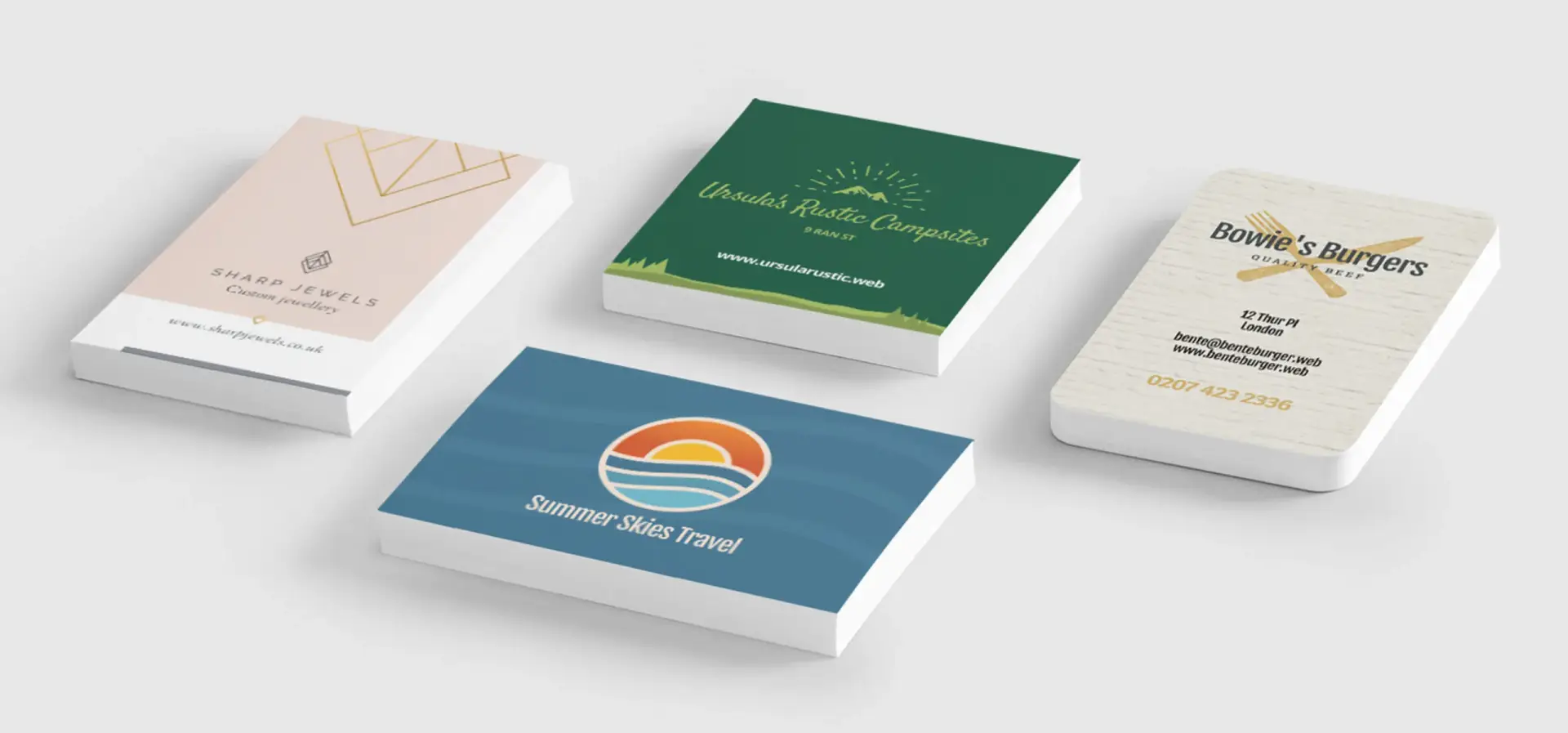
- Square cards or mini cards: Great for standing out, but harder to store
Pro Tip Box
Always request a proof before a full print run. A physical sample helps avoid surprises with colour or finish.
5.Common Mistakes That Ruin an Otherwise Great Card
Even well-designed cards can fall short if you overlook these common missteps:
- Overcrowded layouts — trying to fit too much info
- Low-resolution images or logos
- Using flimsy, thin paper that feels cheap
- Printing without bleed space (can cause white edges)
- Forgetting contact info or CTA (yes, it happens!)
Bold takeaway: Your card should guide someone to take action—call, email, visit your site—not leave them guessing.
Quick Guide: From Forgettable to Memorable
Situation:
You’re at a networking event. You meet five people and collect five business cards. One stands out—and it’s not just because of the colours.
Common Challenges
- Is your card blending in with others?
- Are people forgetting to follow up after getting your card?
- Does your card match the quality of your services?
How to Solve It
- Use tactile finishes: Something as simple as a soft-touch coating or textured card stock can spark memory through touch.
- Add one visual hook: Whether it’s a bold logo, minimalist layout, or striking colour, choose one visual element to dominate.
- Print double-sided smartly: Front for branding, back for key info or QR code—never leave valuable space empty.
- Balance your white space: A well-spaced card feels modern and confident. It invites the recipient to pause, not skim.
Why It Works
These upgrades don’t scream for attention—they earn it. You’ll stay top of mind long after the handshake.
Need help getting your card design just right? Reach out and we’ll guide you through the options!
FAQs: Business Card Printing Essentials
Q1: How many business cards should I order to start with?
Start with 250–500 cards. This gives you enough for networking, events, and everyday meetings without overcommitting.
Q2: Should I include a photo on my business card?
It depends. For personal service industries (e.g., real estate), a headshot builds familiarity. For others, a clean logo may be better.
Q3: What file format should I use when submitting a design?
Use PDF with bleed and crop marks, CMYK colour mode, and at least 300 DPI resolution for best results.
Q4: Are QR codes still relevant on business cards?
Absolutely. A well-placed QR code can link to your website, portfolio, LinkedIn, or booking calendar without cluttering your layout.
Conclusion: Your Business Card = Your Brand in a Glance
A great business card is more than contact details on paper—it’s a pocket-sized ambassador for your brand.
Thoughtful design, smart printing choices, and attention to the small details can make all the difference between being forgotten… or being followed up with.
So next time you hand out your card, make sure it represents the quality, personality, and professionalism you bring to the table.
Want to print a card people actually keep? Start with the tips above—or talk to a professional printer who can walk you through your options.
Related Posts
© 2025 Invastor. All Rights Reserved
User Comments