
Ai Content Generator
Ai Picture
Tell Your Story


 Kirti Verma
Why is My MBOX File Not Working? Several Major Reason
I guess all of you are aware of the definition of ‘What are MBOX Files?’. Let’s do a quick recap on MBOX Files. So, it’s basically the most widely supported email file format stored in a single mailbox.
Despite its popularity, some users are unable to open MBOX Files, crash the email clients, and files are visibly empty. If any of you are having these problems, this article belongs to you and helps you to understand ‘Why is my MBOX File not working?’, and elaborate symptoms, Causes and solutions in depth.
Major Reasons Why is My MBOX File is Not Working?
Mentioned below are tested ways to fix and open MBOX Files:
Unsupported & Incorrect Format
MBOX Files existed in several ‘flavors’, which totally depend on the sources: mboxo: the original format; mboxrd: used by Mozilla Thunderbird; mboxcl / mboxcl2: used by the old unix mail system.
Some Programs assist only specific variants, for instance: importing Gmail MBOX File into Apple Mail, may cause issues.
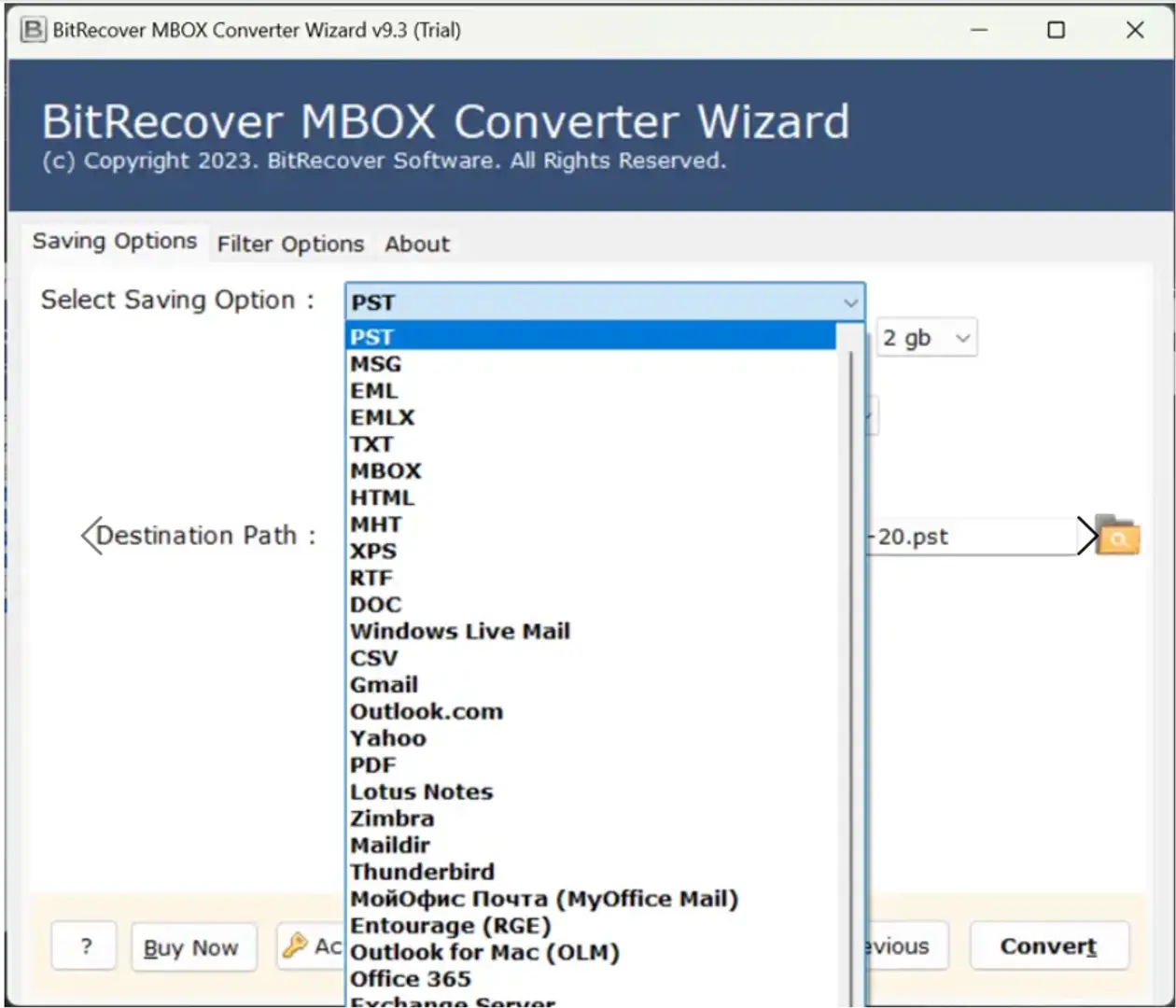
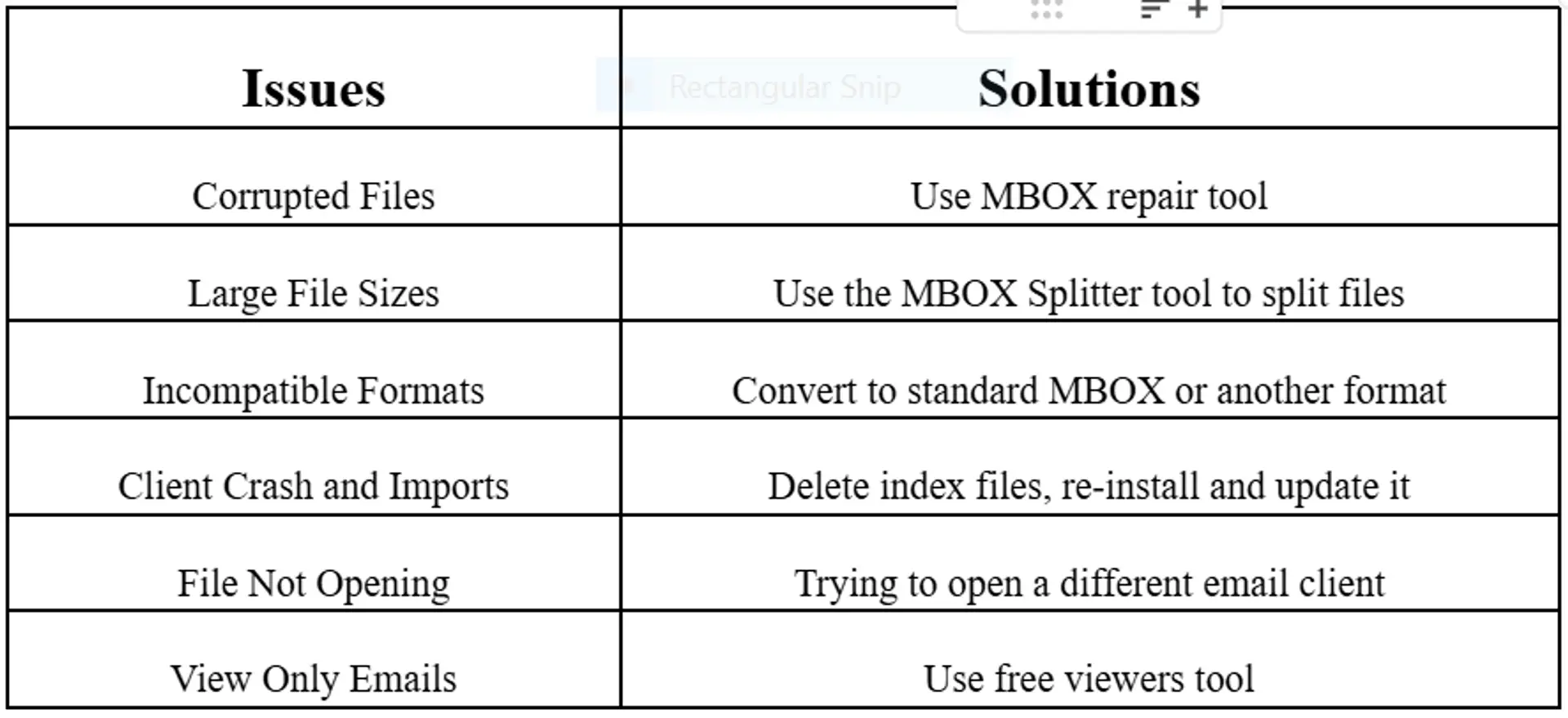
Solution: Specify the source of the MBOX File and convert it to the right format by using utilities like Thunderbird’s import tools; Use BitRecover MBOX converter tool for converting files to standard MBOX.
Corrupted MBOX Files
Symptoms: It includes: While loading files, facing crashes in email clients; Misplacing of contents and blank emails; The file doesn’t open at all, and is not supported.
Causes: It covers: Using wrong syntax while manually editing MBOX Files; Taking an inappropriate step to shutdowns during email access; Power cut or system failure; Virus infection.
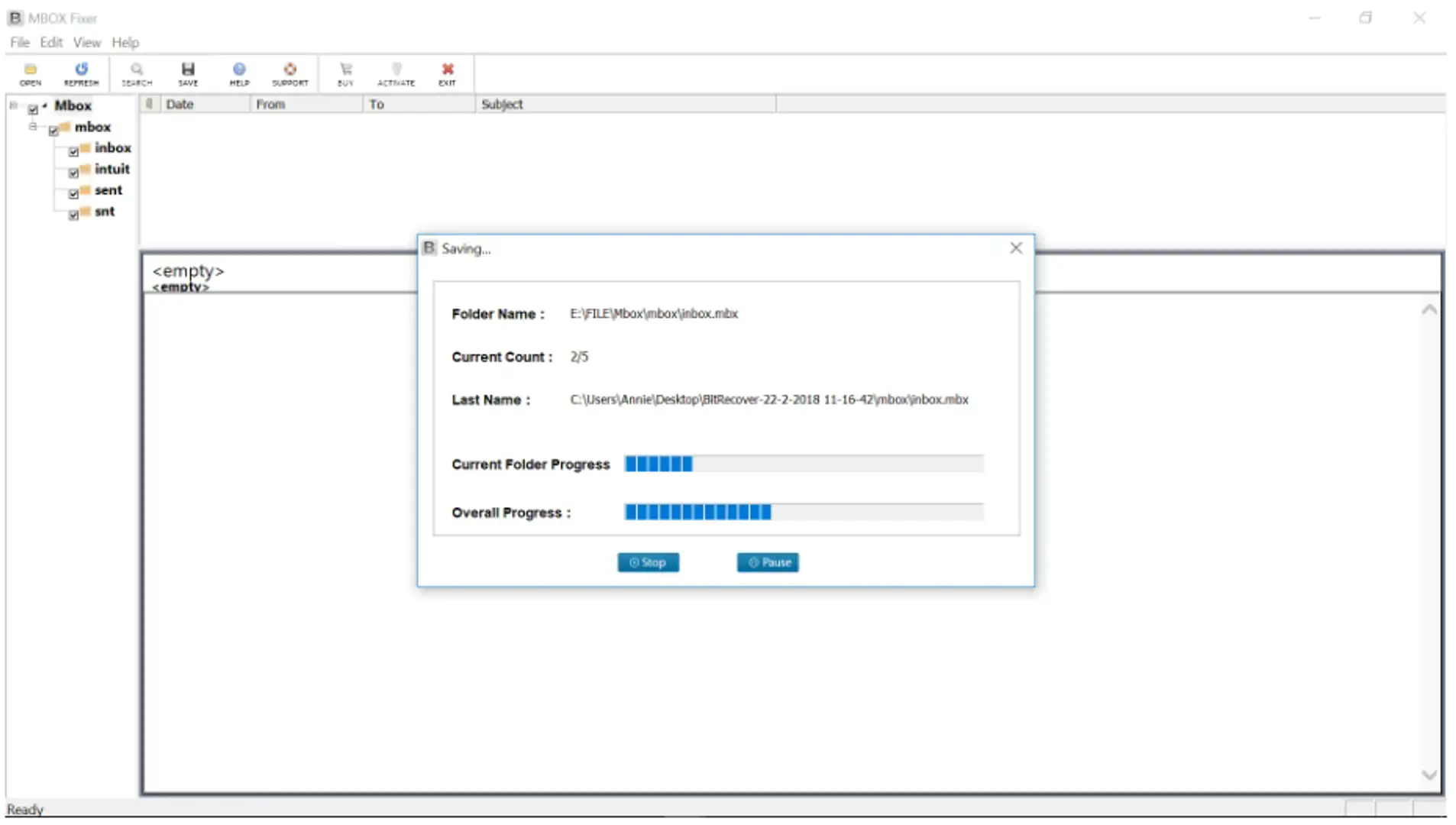
Solution: Always use a professional BitRecover MBOX repair tool, if you are stuck with the question ‘why is my MBOX File not working?’.
Email Client Compatibility Issues
Causes: If you’re using email clients to import MBOX Files, it might be possible that: Using an unrecognized file path or folder structure; Accessing outdated and missing index files.
Solution: Use ImportExportTools NG add-on in Thunderbird to import the MBOX files in a right way; Trash the existing files and re-import them.
Large File Size
Causes: Limitation on the sizes to handle most free email clients and viewers. Thunderbird doesn’t support files over 2 GB; browser-based views often timeout with large files.
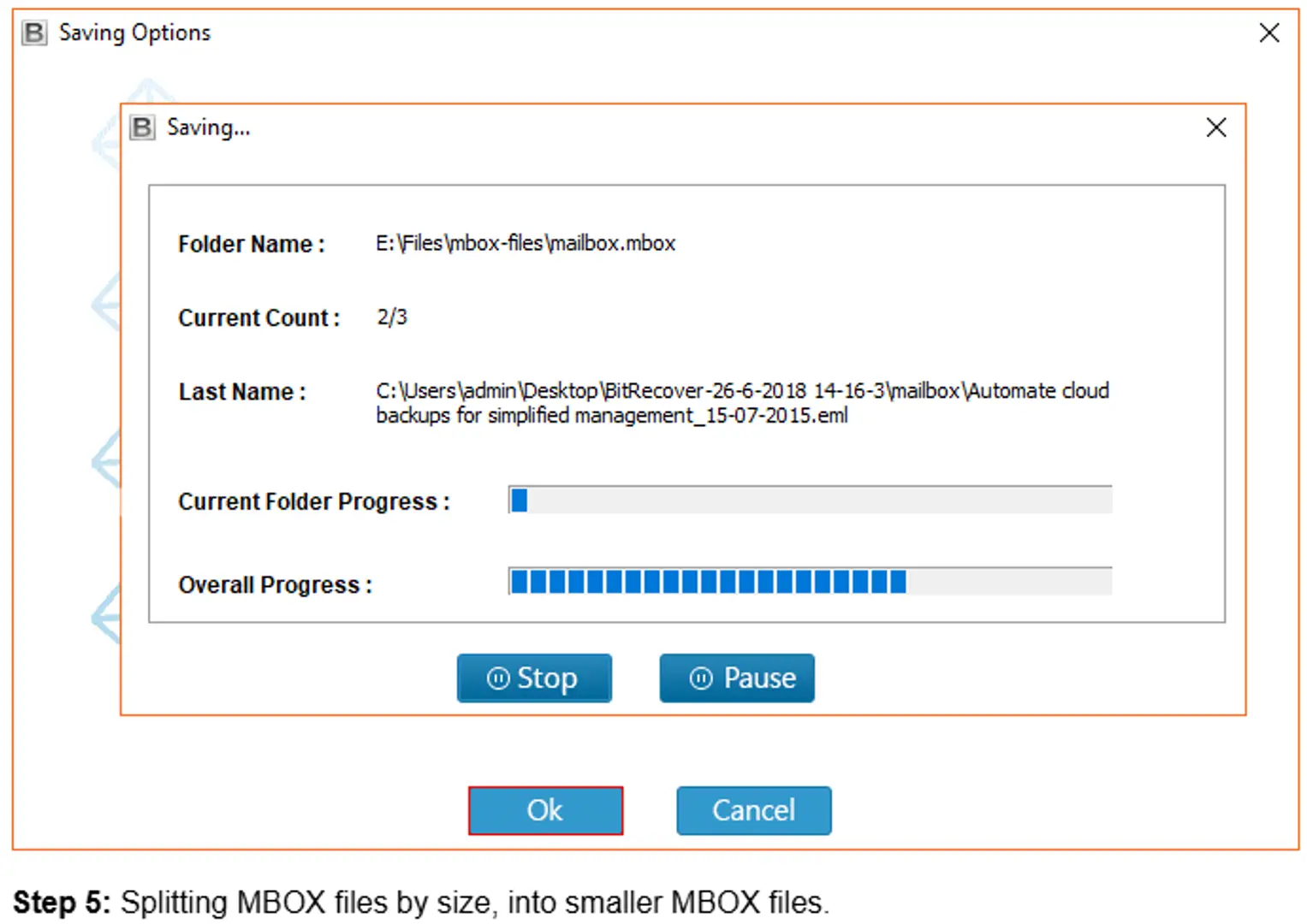
Solution: The Prominent tool for why is my MBOX file not working is BitRecover MBOX splitter tool to break MBOX File into multiple parts; or for handling large files by using designed software.
Outdated Tool & Software Glitch
Cause: Analyzing MBOX Files through outdated email client and MBOX viewer which supports latest MBOX Files and large file sizes.
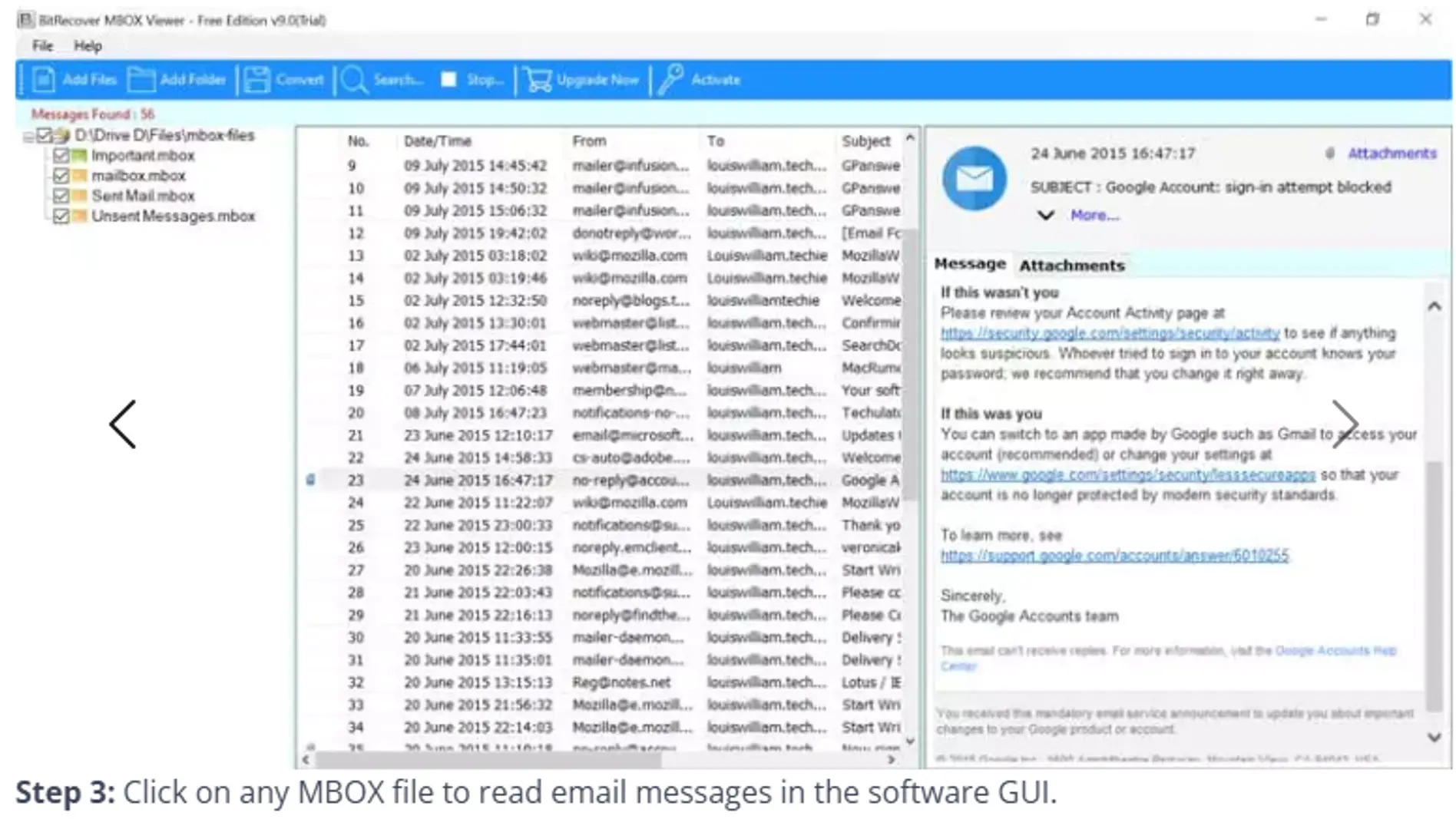
Solution: Always use the latest versions of Mozilla Thunderbird, BitRecover MBOX Viewer.
MBOX File is empty
Causes: Incomplete download, Incorrect export, Manual file transfer error.
Solution: Re-exports MBOX Files, data or content from the email client sources like Gmail, Apple Mail etc,.
Proven Solution To Fix MBOX Files Loading Issues
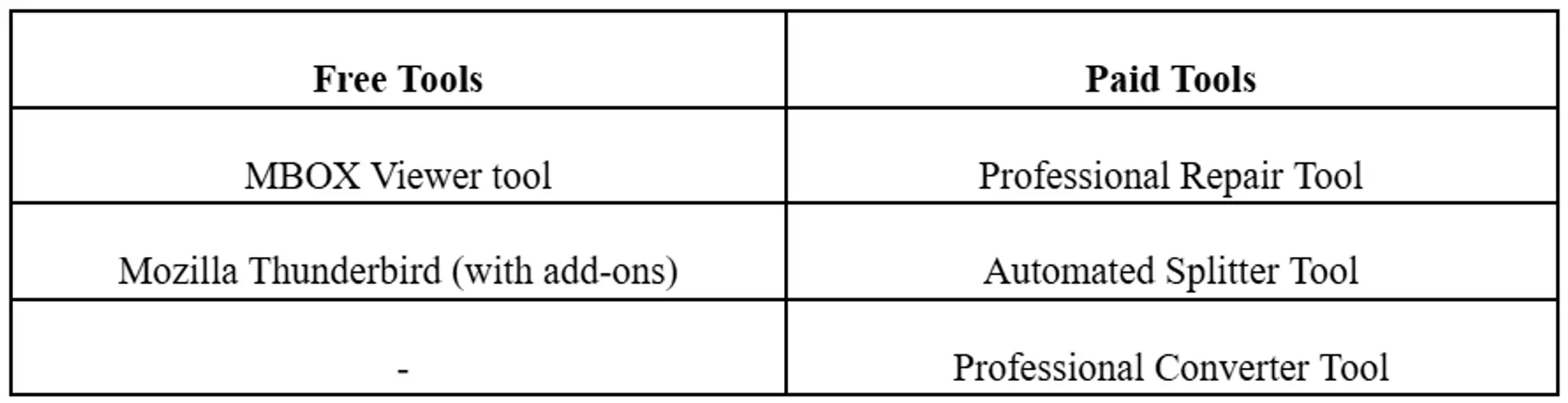
What Type Of Tools Can Use To View & Repair MBOX Files?
How to Check If an MBOX File Is Valid or Not?
MBOX File can be verified by opening it in a ‘text editor’:
Every email starts with ‘From (email) line & Messages should be stored after one another with complex formatting.
And the chances of corrupted files are that they are fully empty or have broken syntax.
How To Prevent Common MBOX File Issues?
· Take a backup regularly of MBOX Files.
· Use Import-Export functions in email clients.
· Use antivirus software to secure files from corruption.
· Update email clients for easy functionality.
· Should avoid manual editing of the MBOX file.
Conclusion
The common and solvable issue is ‘Why is my MBOX File not working?’. No matter its corrupted file size limitation, compatibility issues, unsupported formats, etc., there are several practical free and paid tools and solutions available; all that is needed is to use the right one according to the requirements of the user.
By acknowledging the cause and applying the right solution or tool, help fix the issue related to emails a user is facing. Using reliable tools like MBOX Viewer, Splitter, and Converter makes work easier and more effective, and you can regain access to your important files and emails.
Related Posts
© 2025 Invastor. All Rights Reserved
User Comments